Introduction
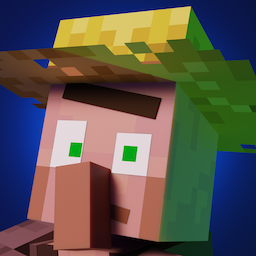
Fresh Animations is a popular Minecraft resource pack that replaces mob animations, to something smoother and more dynamic.
In this guide, you’ll learn how to install Fresh Animations for Minecraft 26.1 step by step, including required mods like EMF and ETF.
⚠️ This article was written with the help of AI and may therefore contain inaccuracies.
Requirements
Before installing Fresh Animations, make sure you have:
- Minecraft version 26.1 installed
- Java 17 or higher
- Internet connection
Step-by-Step: Fresh Animations Installation
Step 1: Download Fresh Animations
- Go to: https://modrinth.com/resourcepack/fresh-animations
- Download the version for Minecraft 26.1
- Click the green Download button
Step 2: Download Required Mods
Fresh Animations requires these mods to work properly:
- Entity Model Features (EMF) → https://modrinth.com/mod/entity-model-features
- Entity Texture Features (ETF) → https://modrinth.com/mod/entity-texture-features
⚠️ The resource pack might NOT work correctly without EMF and ETF
Step 3: Install Fabric Loader
- Go to: https://fabricmc.net/
- Download Fabric Loader
- Run the installer
- Select version 26.1
- Click Install
Step 4: Open Your Minecraft Folders
Find the Mods folder
Windows:
C:\Users\<YourName>\AppData\Roaming\.minecraft\mods
Mac:
~/Library/Application Support/minecraft/mods
Resourcepacks folder (for Fresh Animations):
Windows:
C:\Users\<YourName>\AppData\Roaming\.minecraft\resourcepacks
Mac:
~/Library/Application Support/minecraft/resourcepacks
If the folders don’t exist, create them and name them:
mods
resourcepacks
Step 5: Install Everything
Move the files into the correct folders:
Into the mods folder:
- EMF
- ETF
Into the resourcepacks folder:
- Fresh Animations (.zip file — do NOT extract)
Make sure:
- All files match version 26.1
- Mods are
.jarfiles - Resource pack stays as
.zip
Step 6: Launch and Activate the Resource Pack
- Open Minecraft Launcher
- Select the Fabric profile
- Click Play
Then in-game:
- Go to Options → Resource Packs
- Move Fresh Animations to the active side
- Click Done
Fresh Animations should now be active.
How to Use Fresh Animations
- Simply play the game — animations apply automatically
- Observe mobs like villagers, zombies, and animals
What’s Next? Improve Your Visual Setup
After installing Fresh Animations, you can combine it with:
- Sodium → Better FPS (Tutorial here!)
- Fullbright → See in the dark and at night (Tutorial here!)
Troubleshooting
| Problem | Solution |
|---|---|
| Animations not working | Make sure EMF and ETF are installed |
| Resource pack not showing | Check it’s in the resourcepacks folder |
| Game crashes | Verify all versions match (26.1) |
| Pack not activating | Enable it in Resource Packs menu |
Downloads & Links
- 👉 Fresh Animations: https://modrinth.com/resourcepack/fresh-animations
- 👉 EMF: https://modrinth.com/mod/entity-model-features
- 👉 ETF: https://modrinth.com/mod/entity-texture-features
- 👉 Fabric Loader: https://fabricmc.net/
Final Tips
- Do NOT extract the resource pack
- Some animations may vary depending on Minecraft version
- Combine with shaders for best visual experience